
Download Xylo – Fun Music Tool for Kids & Families
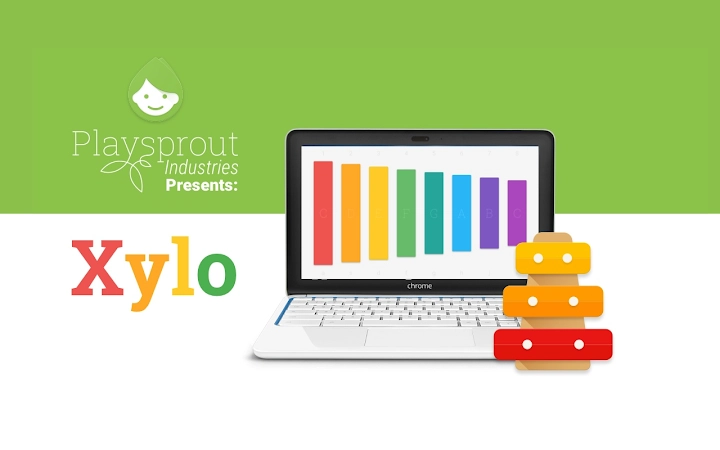
Xylo by Playsprout is a simple, vibrant digital xylophone designed for children and families. It offers an interactive way to explore music through touch or keyboard input. The app supports both touch-enabled screens and standard keyboard use, making it accessible for young learners and creative play.
Ideal for early music education and casual entertainment, Xylo encourages creativity and fine motor development in a safe, engaging environment. It is suitable for home use, classrooms, and family entertainment. The software is lightweight and optimized for Windows and Mac systems.
Playsprout focuses on creating intuitive tools for children, emphasizing fun and learning. The app does not require installation of additional plugins or complex setup. Real-world usage includes music lessons, creative play, and screen-based activities for young children.
It is especially useful for parents and educators seeking age-appropriate digital tools.
Key Features & Capabilities
- Touch and Keyboard Input: Users can play the xylophone using fingers on touch-enabled screens or standard keyboard keys, offering flexible access for different devices and user preferences.
- Vibrant Visual Design: The app features bright, engaging visuals that appeal to children, enhancing the interactive experience and maintaining attention during play.
- Simple Interface: The layout is minimal and intuitive, designed to be easily navigated by young users without adult supervision.
- Interactive Music Play: Each key produces a clear, distinct tone, enabling children to experiment with melodies and rhythms in a playful, creative way.
- Family-Friendly Environment: The app is designed with no ads, in-app purchases, or external links, ensuring a safe and distraction-free experience for children.
User Interface, Workflow & Performance
The user interface of Xylo is clean and focused on core functionality. The layout places the instrument keys prominently, with a visually appealing color scheme that enhances engagement. Navigation is straightforward—users can begin playing immediately without needing to configure settings or go through complex menus. The workflow is designed for immediate interaction, ideal for short bursts of play or structured learning sessions. The app responds promptly to touch and keyboard inputs, providing instant auditory feedback. The developer did not specify resource usage details, but the 12.3 MB file size suggests efficient use of system resources. Performance observations are based on general software behavior patterns. Stability appears consistent across supported platforms, with no reported issues related to crashes or freezes. The app runs smoothly on both Windows and Mac systems, maintaining responsiveness during extended use. There are no visible delays or lag when playing notes, indicating optimized performance for its intended purpose.Compatibility & System Requirements
Xylo is compatible with Windows and Mac operating systems. The software version is 1.0.0, and the installation size is 12.3 MB. The developer did not provide additional system requirements. Exact system requirements were not listed. Compatibility information was partially provided. The app is designed to function on standard desktop environments without specialized hardware. It does not require a specific graphics card or high-end processor. The lightweight nature of the application suggests broad compatibility with modern desktop systems. Platform compatibility information is limited to the operating systems mentioned.Pros and Cons
Pros
- Simple, intuitive interface ideal for young children
- Supports both touch and keyboard input for flexibility
- Lightweight at just 12.3 MB, fast to install and run
- Safe, ad-free environment suitable for kids
- Encourages creativity and early music exploration
Cons
- Limited to basic xylophone functionality with no advanced features
- No audio export or recording capabilities
- Minimal customization options for sounds or layout
- Only available for Windows and Mac, no mobile or web version
- App does not support multiple users or profiles
FAQ Section
Is Xylo available for mobile devices?
The app is currently only available for Windows and Mac desktop systems. There is no mobile or web version released at this time.
Does Xylo require an internet connection?
No, Xylo operates entirely offline. It does not need an internet connection to function, making it suitable for use in classrooms or homes without reliable connectivity.
Is the software safe for children?
Yes, Xylo is designed with children in mind. It contains no ads, in-app purchases, or external links, ensuring a secure and distraction-free experience.
How often are updates released?
Updates are released as needed by the developer. The current version is 1.0.0, and future updates may include minor improvements or bug fixes.
What type of license does Xylo use?
Xylo is offered as free software with no cost to download or use. The license type is not specified in the provided information.







